Creating a New Customs Entry
1.On the Customs Entry List page, click New to start a new entry.
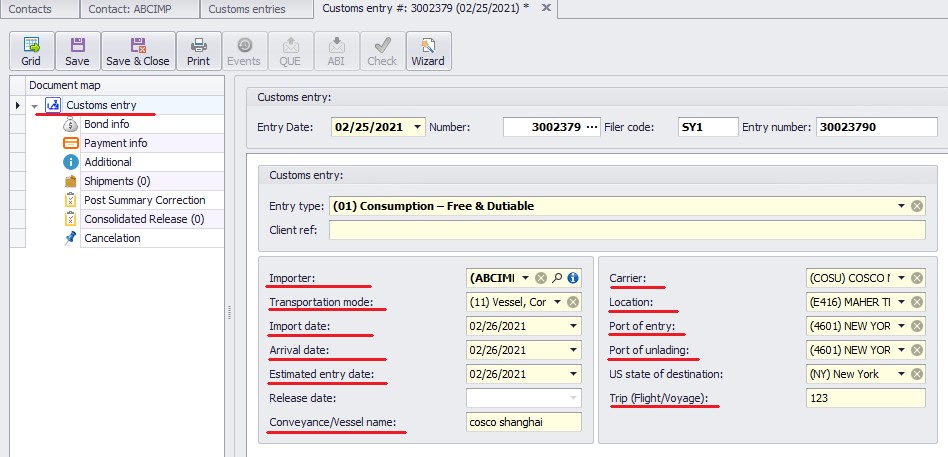
2.To enter the Entry Number, click the three dots (...) next to the Entry Number field, as shown below.
oThe system will automatically populate all subsequent entry numbers based on the defined sequence.
3.Complete all required fields as indicated below.