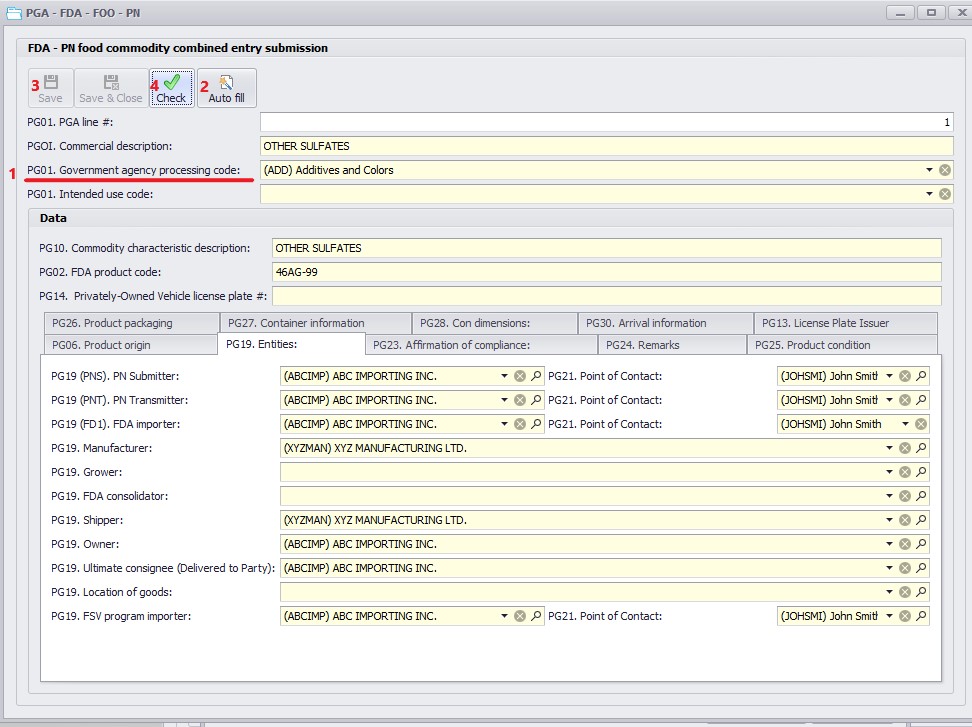
For food products that require Prior Notice (PN), select the PN Food Commodity Combined Entry submission type. In this case, the system will automatically generate the Prior Notice and transmit it together with the entry.
After selecting the appropriate PGA template, follow the steps below:
1.Select the Government Agency Code.
2.Click Autofill to populate the data from the entry.
3.Click Save.
4.Click Check to validate the PGA and identify any missing required information.
Additional Notes:
•The FDA Product Code will autofill if it has been entered on the Customer Tariff screen.
•The Point of Contact will autofill if it has been entered on the Importer’s Contact screen.
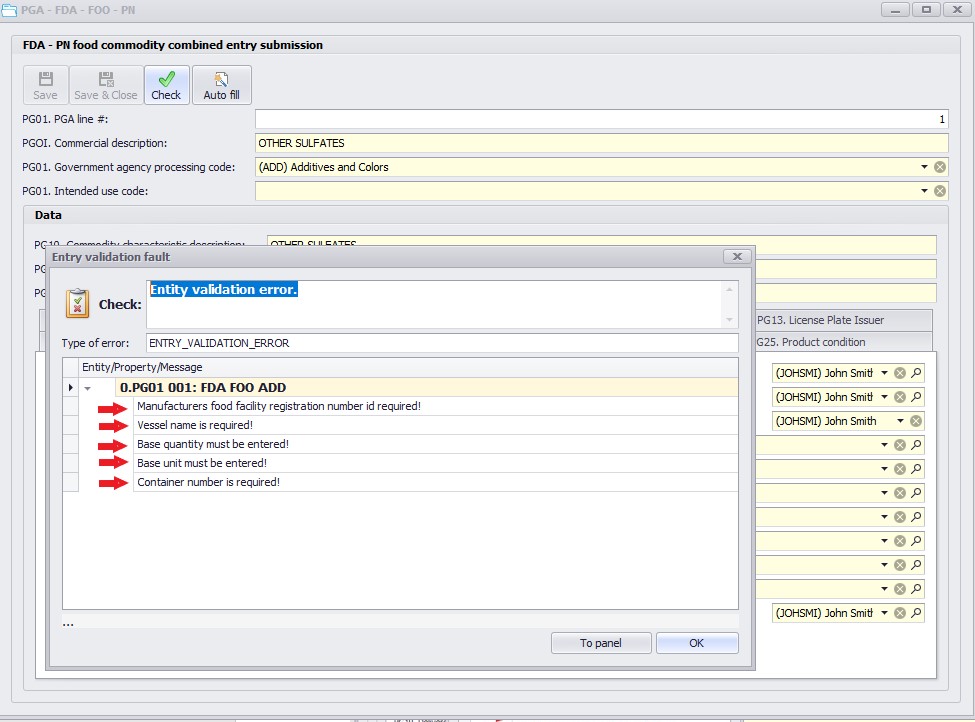
After PGA validation, the system will display a list of missing or incorrect data. Double-click each error line to navigate directly to the corresponding field and correct the issue.
Once all errors are corrected, click Save and Check again. If no additional errors appear, you may close the PGA screen.
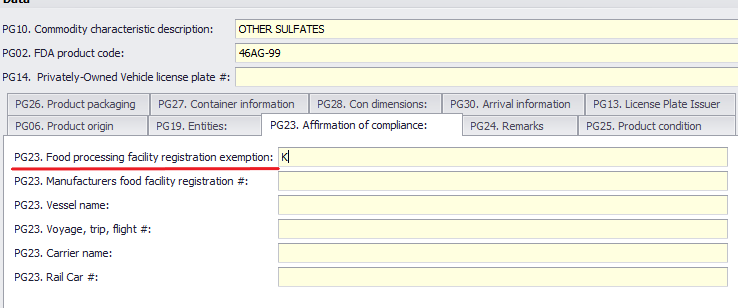
For FDA Prior Notice submission, the Manufacturer Food Facility Registration Number is required. If this number is unavailable, you may claim an exemption by entering “K” in the corresponding field.