Wizard that automatically fills in data from your customs entry history. This Wizard will help you quickly populate tariffs (Chapter 99), additional declarations, AD/CVD details, and PGA information based on your previous entries.
There are two ways an invoice with articles can be created:
Method 1: Creating an Invoice Using the Wizard
After the invoice and its articles are created:
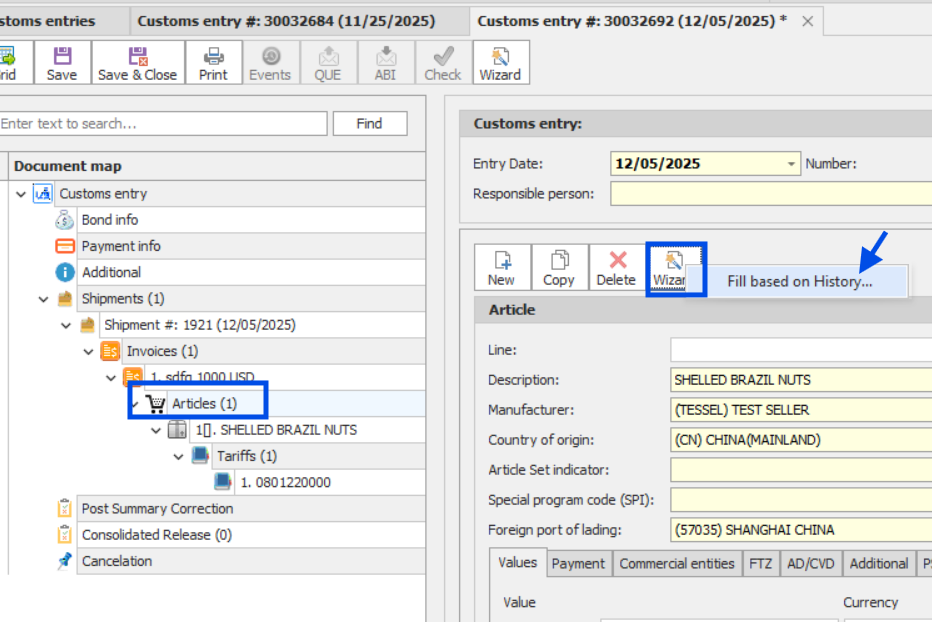
1.Select (highlight) the article you want to look up historical data for.
2.Click Wizard on the Article screen.
3.The Wizard will display relevant historical information and allow you to apply it to the selected article.
Tip: Make sure you select the correct article before running the Wizard, as the results will be based on that specific item.
Next Step: Selecting Data From Previous Entries
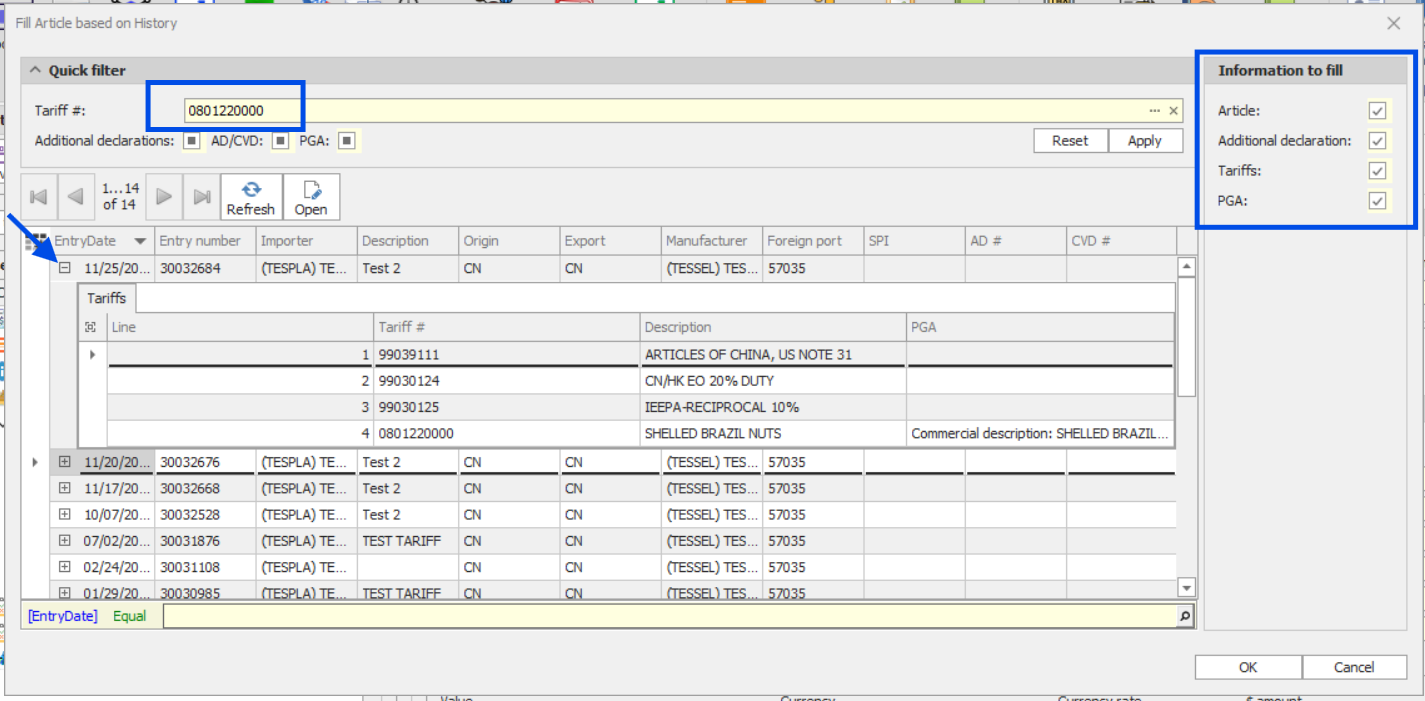
On the next screen, you will see a list of existing entries automatically filtered by the HTS number you entered for this article.
•You can expand each entry line to view the additional tariffs and related details included in that entry.
•On the right side of the screen, simply check the boxes next to the information you want to import into your current entry.
Once you click OK, all selected items will be copied into your current article.
Note:
•AD/CVD information is copied automatically if it exists in the referenced entry.
•Make sure to review the expanded details before selecting, to ensure you are copying the correct data.
Method 2: Creating an Invoice Using NEW (Not the Wizard)
4.Click NEW to create the invoice manually.
5.Add your article.
6.On the Article screen, click Wizard – Fill from History.
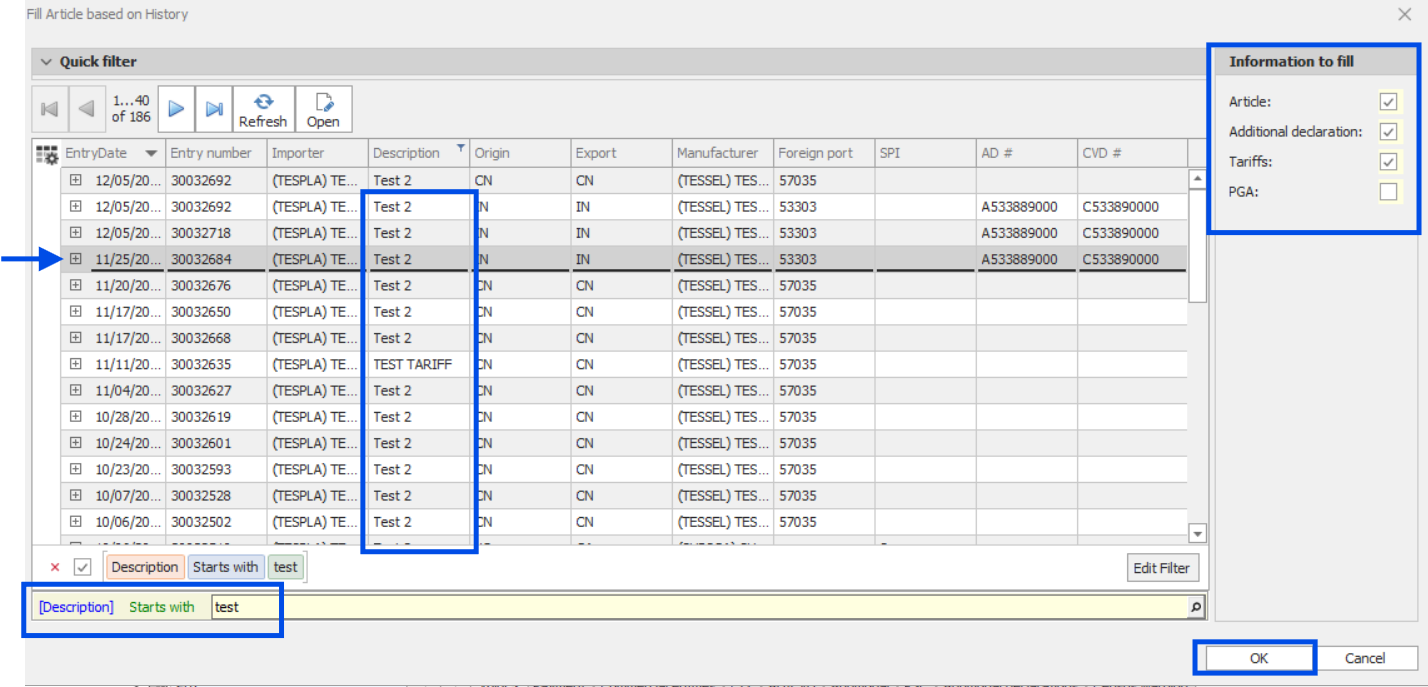
7.Use the filter at the bottom of the screen to search by article description.
8.Select the entry you want to reference and choose the information you want filled in.
9.Click OK to copy the selected details into your article.
Tip:
Even when the invoice is created manually, the Wizard still lets you quickly pull accurate historical tariff and compliance data.