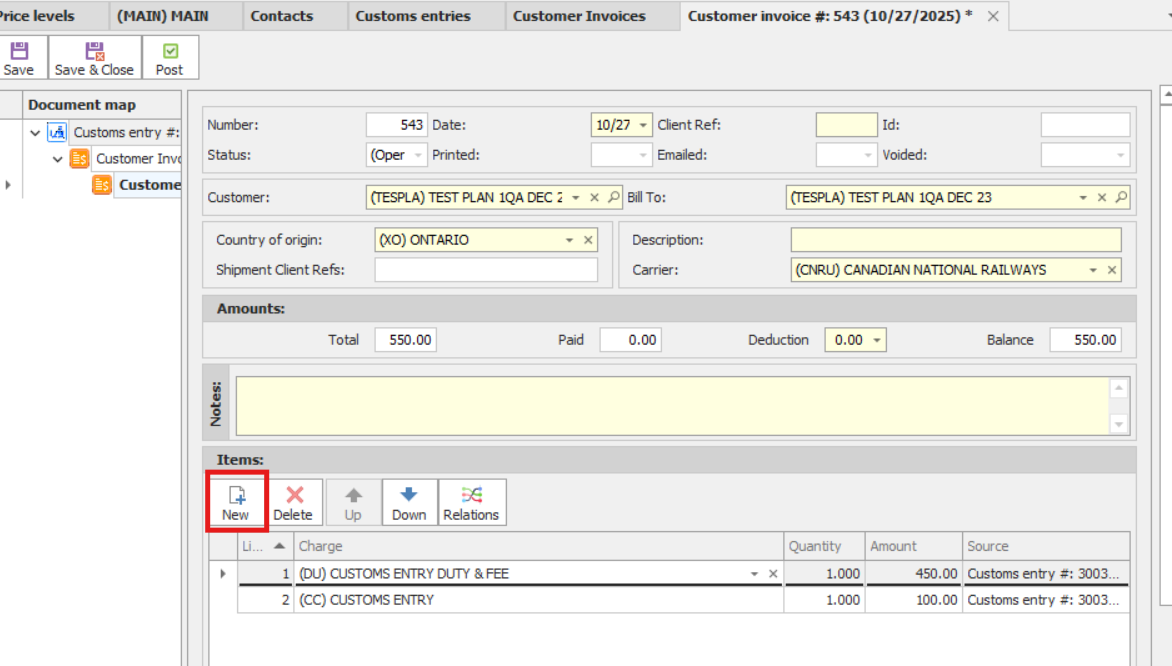
There are two ways to create a Customer Invoice:
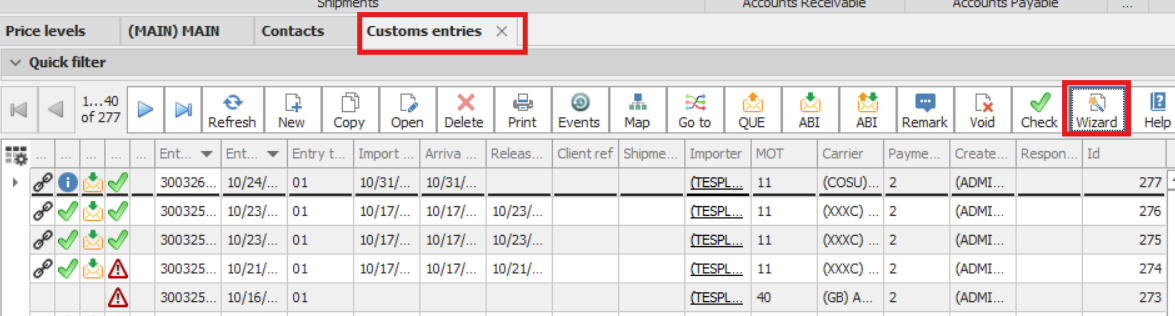
1. Create an Invoice from the Customs Entry Grid
•In the Customs Entry grid, click Wizard → Create Customer Invoice.
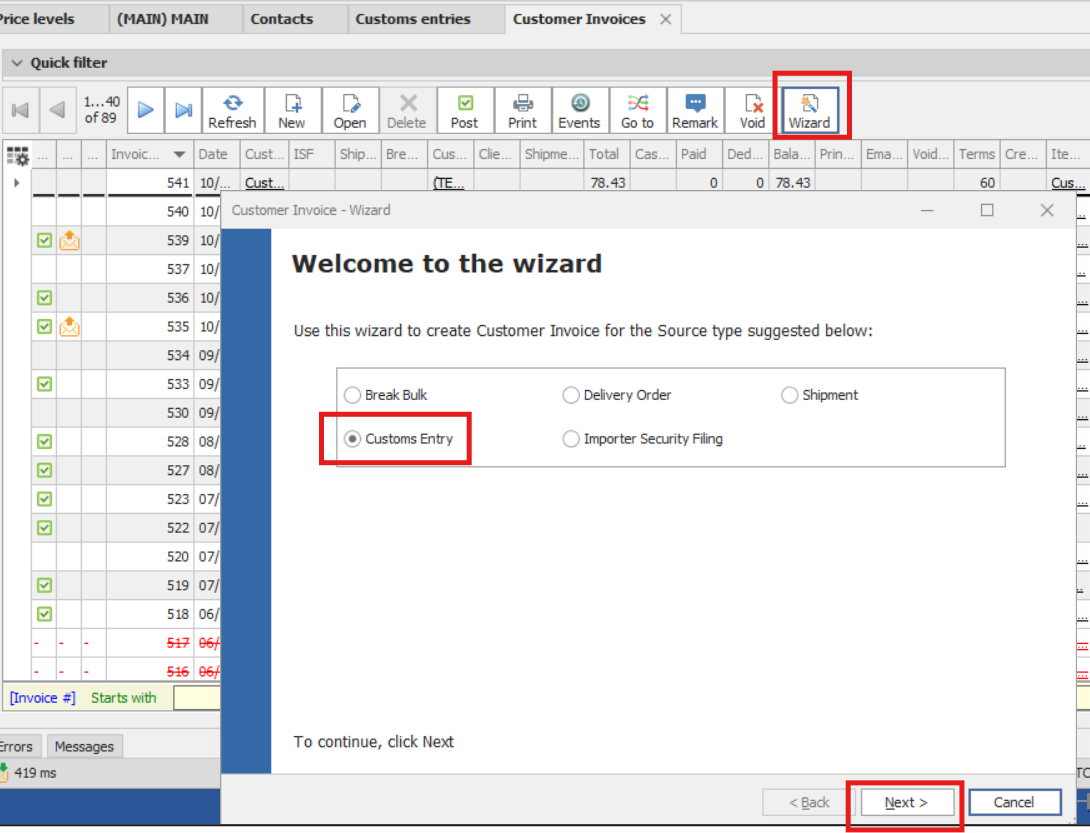
2. Create an Invoice from the Customer Invoice Screen
1.Open the Customer Invoice screen.
2.Click Wizard → Create Invoice.
3.On the Wizard screen, select Customs Entry.
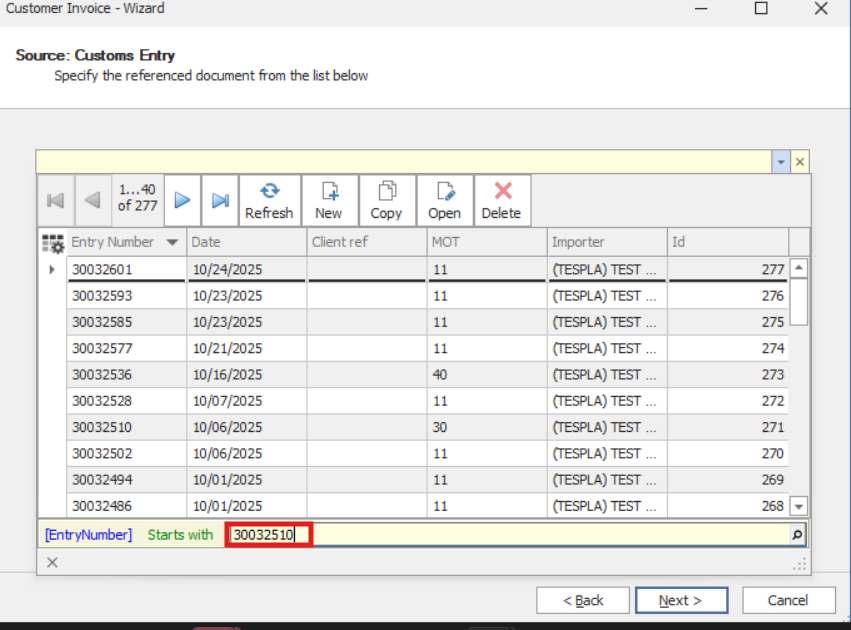
4.On the next screen, search for the Entry # you want to create an invoice for.
5.Click Next.
The invoice will be generated automatically and will include all charges from the assigned Price Level.
You can also add additional charges in the Invoice Details section.
After the invoice is created and completed, you must save it and then post it.