Before creating a Customer Invoice, you must create a Price Level.
Create a Price Level
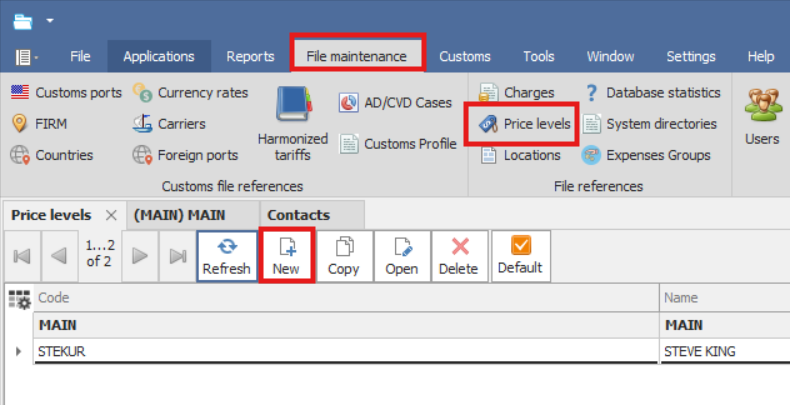
1.Go to File Maintenance → Price Levels.
2.Click New.
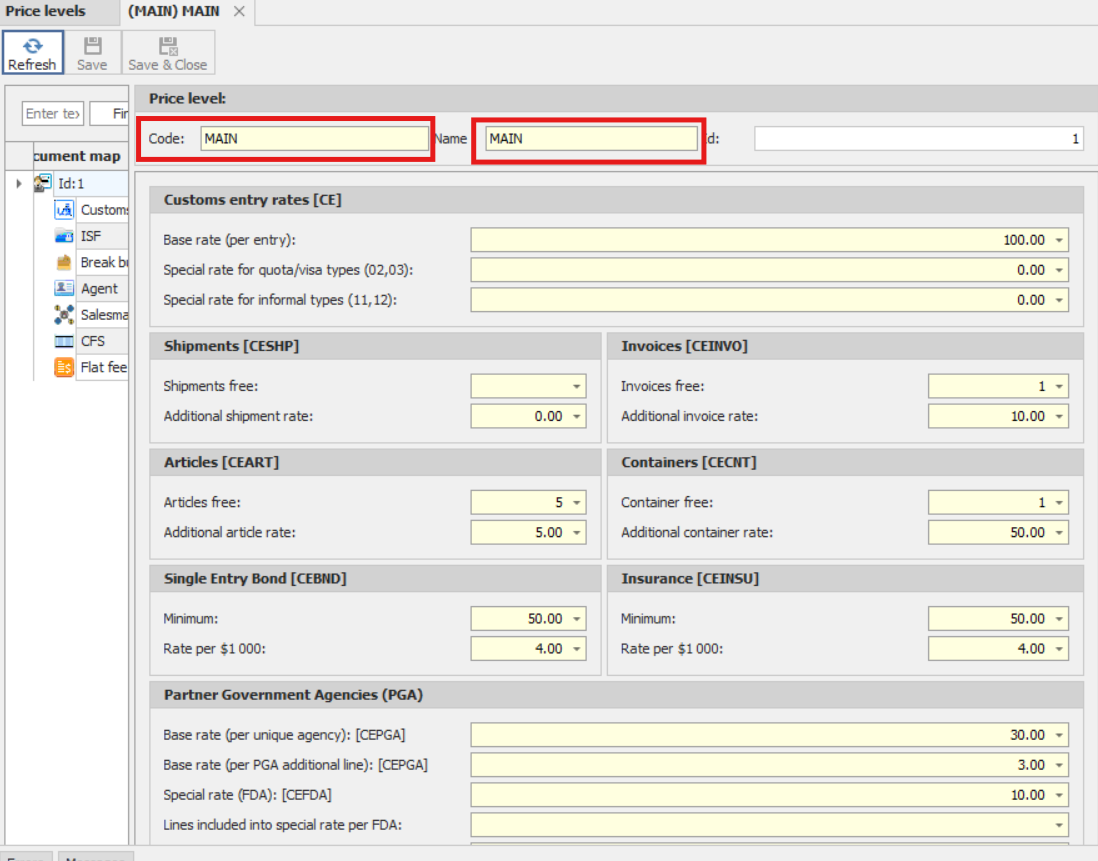
3.On the Price Level screen, enter the fees you want to charge for the services provided to your customers.
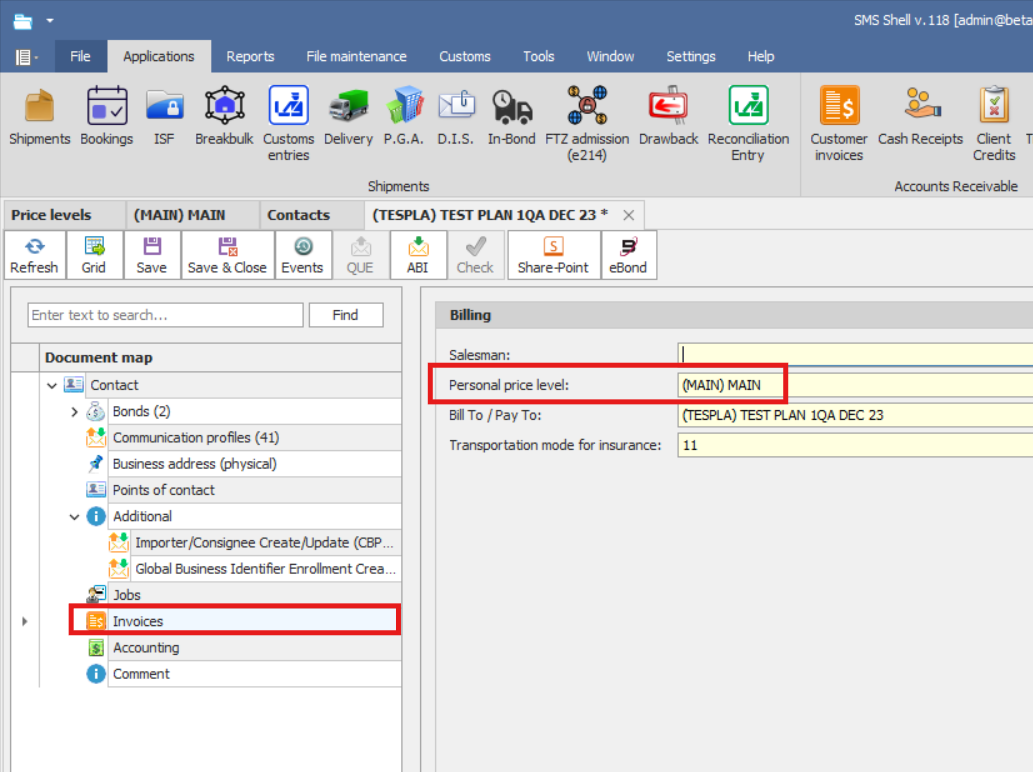
Assign the price level to the customer in the Contact screen.
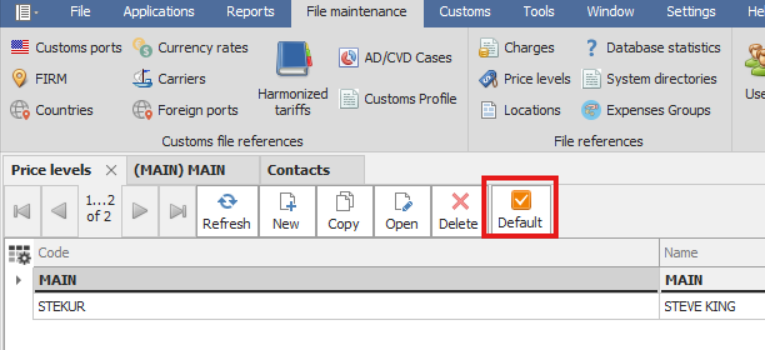
One price level can be set as Default.
The default price level will be applied to customers who do not have a personal price level assigned.