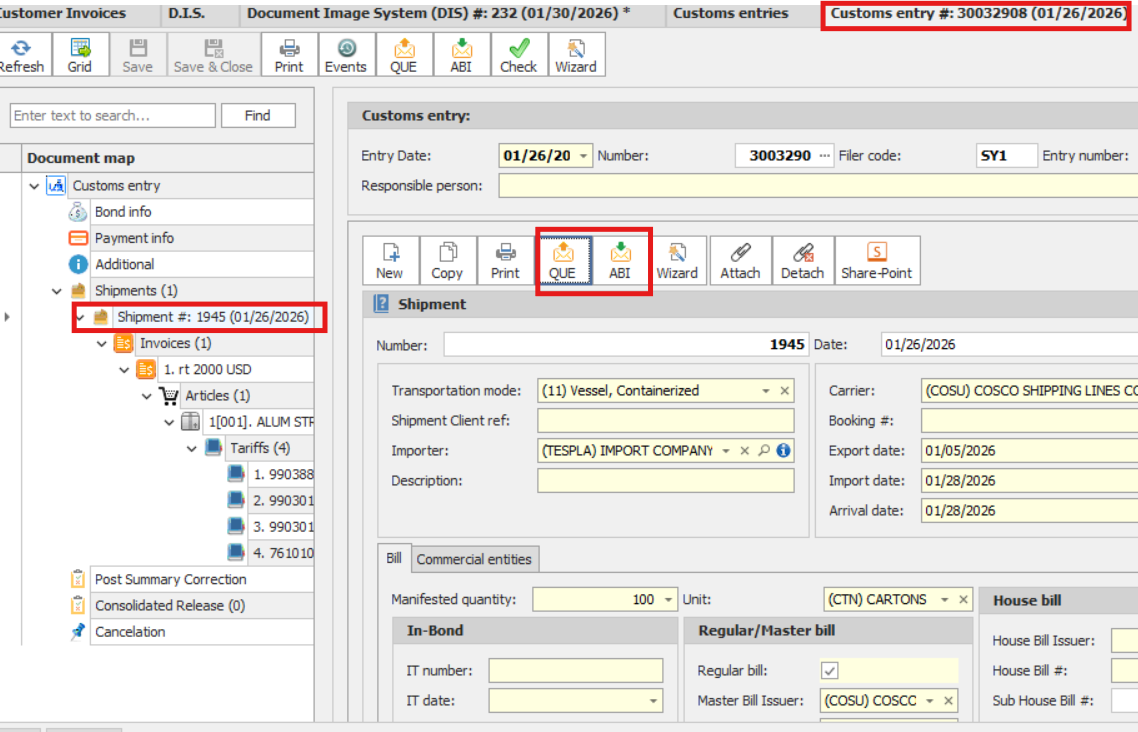
Available Queries
You can perform the following queries:
•Entry Number Request – Check the status of an entry using its Entry #.
•Ocean, Rail, or Truck Bill Request – Check the information manifested in AMS for a specific Bill of Lading.
•In-Bond Request – Check the information manifested in AMS for a specific In-Bond #.
•Air Waybill Request – Check the information manifested in AMS for a specific Air Waybill #.
How to Perform a Query
1.Go to the appropriate tab for the type of query.
2.Fill in the required data.
3.Queue the bill.
4.Wait for a response and check the result in the Events screen.
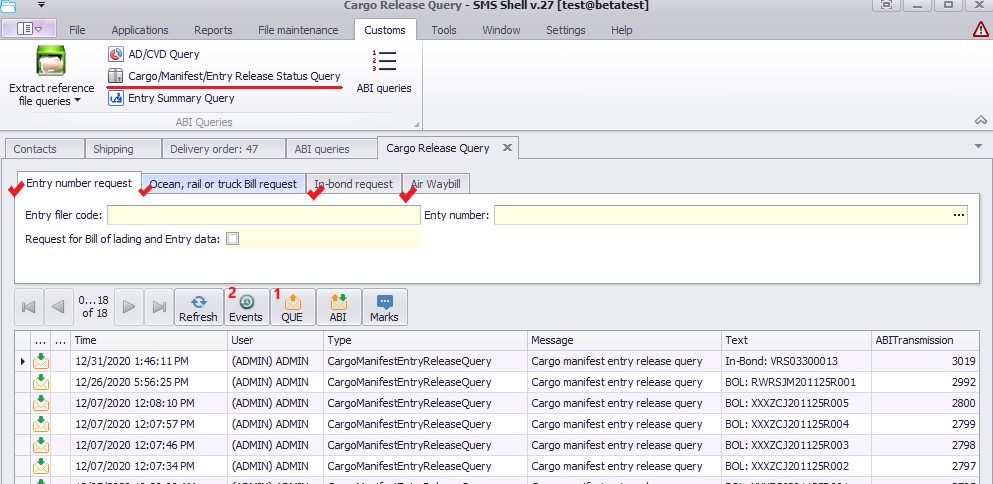
Alternative Way to Make a Bill Query
You can also make a bill query directly from the Customs Entry Shipment screen.
•Here, you can QUE the Master, House, or IT #.
•The response can be reviewed in the ABI Messages section, without navigating to a separate Customs Queries screen.