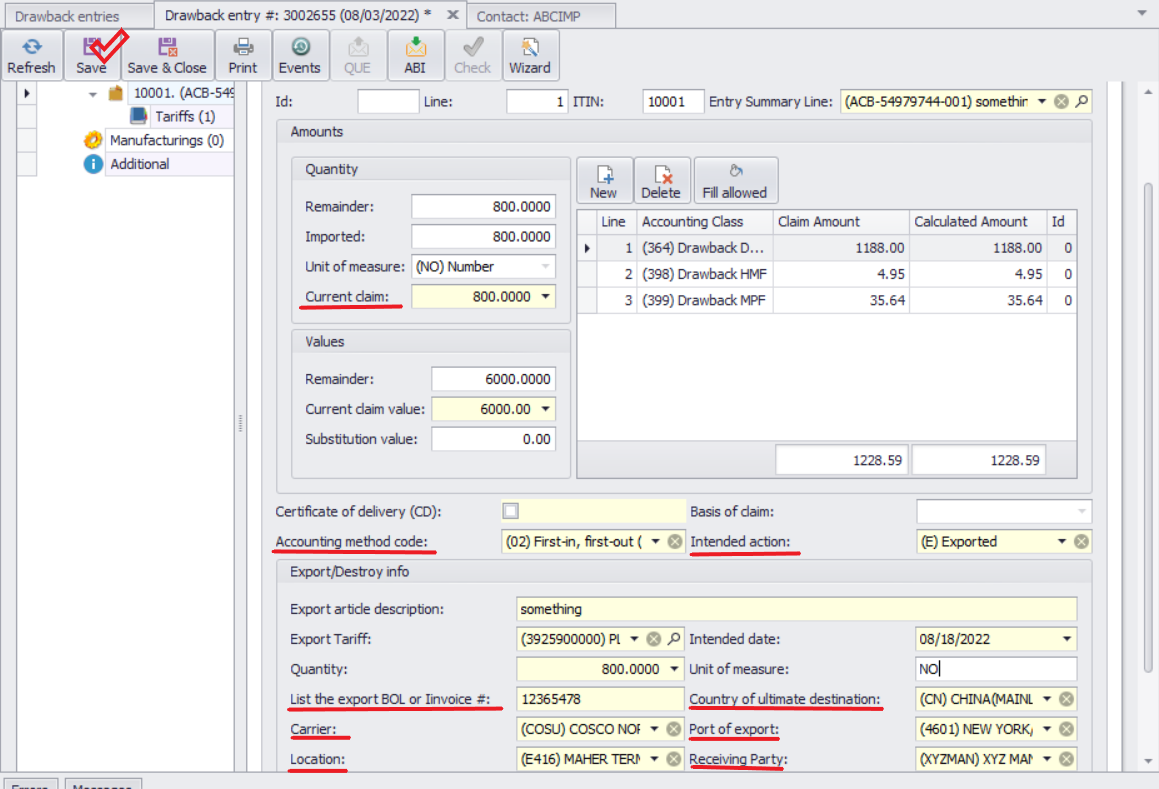
Entering Export Information
1.Enter the information indicated on the screen.
2.Field Explanations:
oCurrent Claim – This is the quantity of goods being exported. It defaults to the total imported quantity or the remainder. If fewer goods have been exported, update this field accordingly.
oCurrent Claim Value – This will be calculated automatically by the program.
oLocation – Required if you are sending the Notice of Intent (Form 7553) before the goods are exported in order to obtain Customs approval.
3.Once all information has been entered, click Save.