After the Delivery Order (DO) is created, you can email it to the trucker or customer, including the entry release documents.
To send the DO:
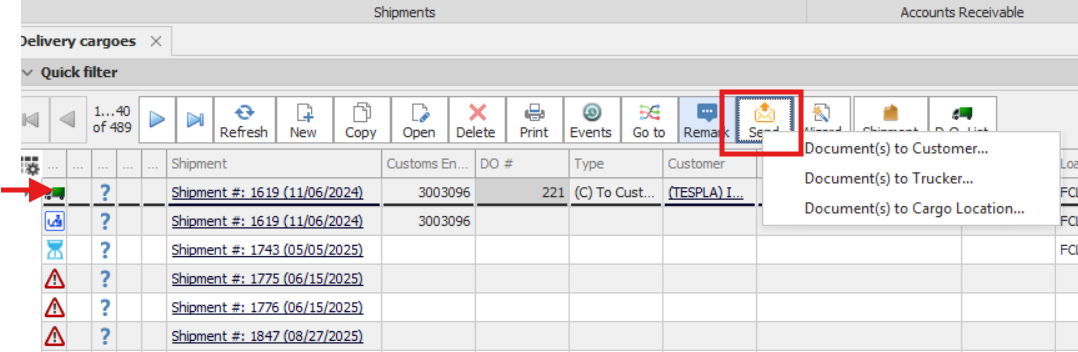
1.Highlight the DO in the grid.
2.Click Send and select the recipient.
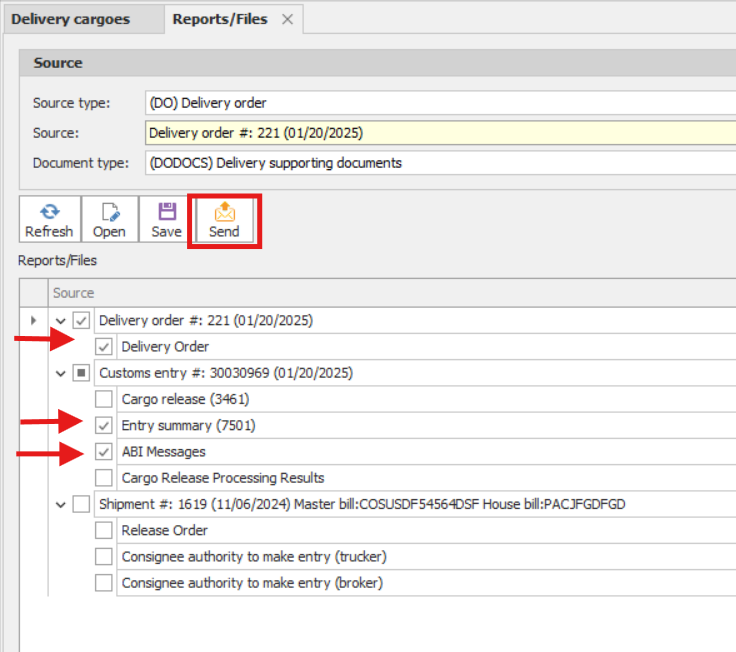
3. On the next screen, select the documents you want to include.
4. Click Send.
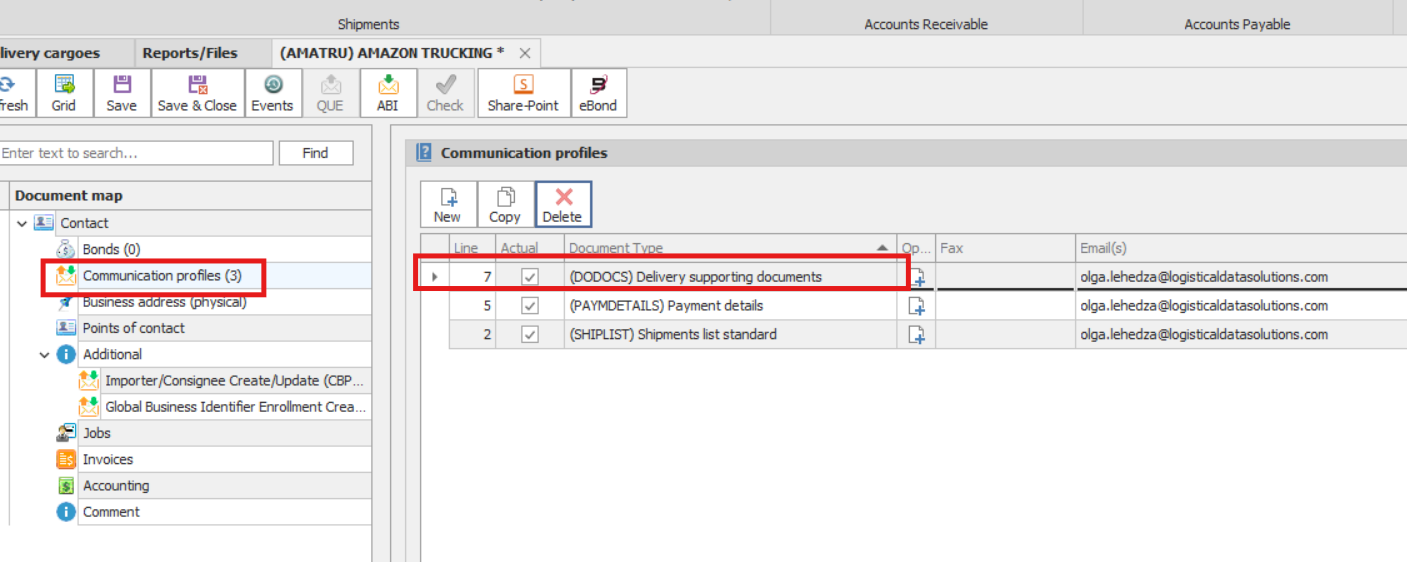
Your default email application will open. The recipient’s email address can be entered directly in the outgoing email, or you can set up a communication profile with the document type (DODOCS) Delivery Supporting Documents.